Category : Reverse Engineering
Description :
The big organization "FL1TZ" has leaked their security app! Can you find the secret? 🔍
𝐀𝐮𝐭𝐡𝐨𝐫 : 𝐁𝐥𝐚𝐜𝐤𝐤𝐚𝐝𝐞𝐫
Files Given : 'FL1TZ.zip'
Solution
As the name suggests , this is challenge aims to reverse engineer an android apk !
Let's start with extracting our zip :

Oh i thought we are getting an apk ,hmm let's run our file command as usual :

TIP :
(You can learn everything about android reverse engineering in this website : Hextree)
yepp , we are right , it's an apk , the author really likes to mess with file extensions
Let's open our emulator Android Studio and run the app in our virtual device :
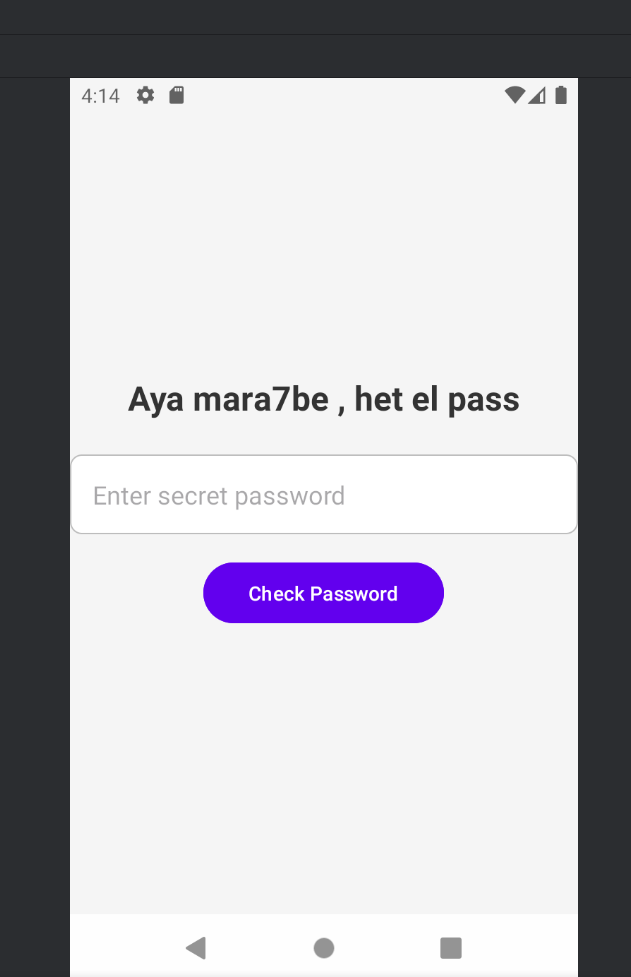
And as we can see , it is asking for a password , let's input something random :
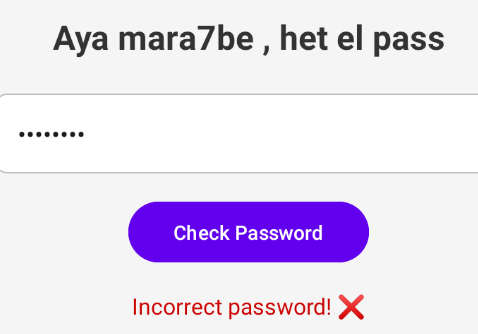
Time to dig through the code !! , and for that we are going to decompile our android app using jadx
And head over to AndroidManifest.xml
<?xml version="1.0" encoding="utf-8"?>
<manifest xmlns:android="http://schemas.android.com/apk/res/android"
    android:versionCode="1"
    android:versionName="1.0"
    android:compileSdkVersion="35"
    android:compileSdkVersionCodename="15"
    package="io.fl1tz.ctf"
    platformBuildVersionCode="35"
    platformBuildVersionName="15">
    <uses-sdk
        android:minSdkVersion="21"
        android:targetSdkVersion="35"/>
    <permission
        android:name="io.fl1tz.ctf.DYNAMIC_RECEIVER_NOT_EXPORTED_PERMISSION"
        android:protectionLevel="signature"/>
    <uses-permission android:name="io.fl1tz.ctf.DYNAMIC_RECEIVER_NOT_EXPORTED_PERMISSION"/>
    <application
        android:theme="@style/Theme.CTF"
        android:label="@string/app_name"
        android:icon="@mipmap/ic_launcher"
        android:debuggable="true"
        android:allowBackup="true"
        android:supportsRtl="true"
        android:extractNativeLibs="true"
        android:fullBackupContent="@xml/backup_rules"
        android:roundIcon="@mipmap/ic_launcher_round"
        android:appComponentFactory="androidx.core.app.CoreComponentFactory"
        android:dataExtractionRules="@xml/data_extraction_rules">
        <activity
            android:name="io.fl1tz.ctf.MainActivity"
            android:exported="true">
            <intent-filter>
                <action android:name="android.intent.action.MAIN"/>
                <category android:name="android.intent.category.LAUNCHER"/>
            </intent-filter>
        </activity>
        <activity android:name="io.fl1tz.ctf.FlagActivity"/>
        <activity
            android:name="io.fl1tz.ctf.UnreachableActivity"
            android:exported="false"/>
        <provider
            android:name="androidx.startup.InitializationProvider"
            android:exported="false"
            android:authorities="io.fl1tz.ctf.androidx-startup">
            <meta-data
                android:name="androidx.emoji2.text.EmojiCompatInitializer"
                android:value="androidx.startup"/>
            <meta-data
                android:name="androidx.lifecycle.ProcessLifecycleInitializer"
                android:value="androidx.startup"/>
            <meta-data
                android:name="androidx.profileinstaller.ProfileInstallerInitializer"
                android:value="androidx.startup"/>
        </provider>
        <receiver
            android:name="androidx.profileinstaller.ProfileInstallReceiver"
            android:permission="android.permission.DUMP"
            android:enabled="true"
            android:exported="true"
            android:directBootAware="false">
            <intent-filter>
                <action android:name="androidx.profileinstaller.action.INSTALL_PROFILE"/>
            </intent-filter>
            <intent-filter>
                <action android:name="androidx.profileinstaller.action.SKIP_FILE"/>
            </intent-filter>
            <intent-filter>
                <action android:name="androidx.profileinstaller.action.SAVE_PROFILE"/>
            </intent-filter>
            <intent-filter>
                <action android:name="androidx.profileinstaller.action.BENCHMARK_OPERATION"/>
            </intent-filter>
        </receiver>
    </application>
</manifest>
then we double click on MainActivity to find out the function that's checking for the password :
public void checkPassword(View view) {
        String password = this.passwordInput.getText().toString();
        String correctPassword = getString(C0793R.string.secretpass);
        if (password.equals(correctPassword)) {
            Intent intent = new Intent(this, (Class<?>) FlagActivity.class);
            startActivity(intent);
        } else {
            this.resultText.setText("Incorrect password! ❌");
            this.resultText.setTextColor(getResources().getColor(android.R.color.holo_red_dark));
            this.resultText.setVisibility(0);
        }
    }
It's comparing it to C0793R.string.secretpass If they are equal we go to FlagActivity, but how can we find that secretpass ? let's search for secretpass using the search engine inside jadx ( click on CTRL + SHIFT + F )

And boom we find the password : th1s_is_n0t_the_flag_:( which clearly tells us that this is just a step to pass through ! Now we input our correct password and get to FlagActivity :

Now , we are supposed to look for something , a bit of research will show us that that suspicious string is in Alien Language ! , so i am going to use dcode
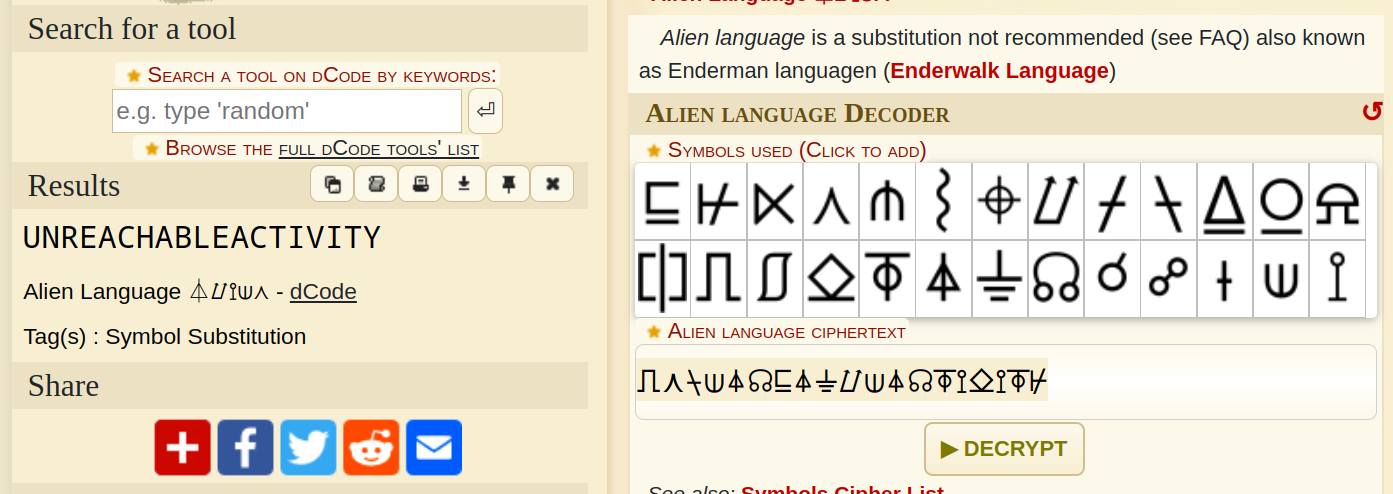
Ohh , so it is asking us to look for the UnreachableActivity !
If we go back to our jadx we can find the activity there , and the interesting part is this :
public void onCreate(Bundle a) {
        super.onCreate(a);
        EdgeToEdge.enable(this);
        setContentView(C0793R.layout.activity_unreachable);
        ViewCompat.setOnApplyWindowInsetsListener(findViewById(C0793R.id.main), new OnApplyWindowInsetsListener() { // from class: io.fl1tz.ctf.UnreachableActivity$$ExternalSyntheticLambda0
            @Override // androidx.core.view.OnApplyWindowInsetsListener
            public final WindowInsetsCompat onApplyWindowInsets(View view, WindowInsetsCompat windowInsetsCompat) {
                return UnreachableActivity.lambda$onCreate$0(view, windowInsetsCompat);
            }
        });
        TextView e = (TextView) findViewById(C0793R.id.keyText);
        TextView f = (TextView) findViewById(C0793R.id.messageText);
        e.setText(new StringBuilder().append('w').append('o').append('h').append('o').append('o').append('_').append('y').append('o').append('u').append('_').append('f').append('o').append('u').append('n').append('d').append('_').append('t').append('h').append('e').append('_').append('k').append('e').append('y').toString());
        f.setText(new StringBuilder().append('h').append('m').append('m').append('m').append('m').append('m').append('m').append(' ').append('c').append('a').append('n').append(' ').append('y').append('o').append('u').append(' ').append('p').append('a').append('s').append('s').append(' ').append('i').append('t').append(' ').append('t').append('o').append(' ').append('t').append('h').append('e').append(' ').append('n').append('a').append('t').append('i').append('v').append('e').append(' ').append('f').append('u').append('n').append('c').append('t').append('i').append('o').append('n').append(' ').append('?').append('?').append('?').append('?').append('?').append('?').append('?').toString());
        System.loadLibrary("native-lib");
        String ok = InternetUtil.getKey("fakekeyfakekeyfakekey");
        List<Integer> L = Arrays.asList(-12, -12, -36, -34, -7, 111, -53, 9, -52, 24, -19, 60, 4, 11, 57, -25, -61, 42, 43, 24, -59, 7, 53, -17, -39, 36, 56, -1);
        StringBuilder newKeyBuilder = new StringBuilder();
        for (int i = 0; i < ok.length(); i++) {
            char currentChar = ok.charAt(i);
            int listValue = L.get(i % L.size()).intValue();
            char newChar = (char) (currentChar + listValue);
            newKeyBuilder.append(newChar);
        }
        String newKey = newKeyBuilder.toString();
        Log.i("topsecret:", newKey.substring(0, newKey.length() - 4) + "}");
    }
That's a lot xD ! U can reverse engineer the first part , or u can start the activity using adb ! but the thing is , in AndroidManifest.xml we can clearly see that the unreachable activity can't be exported :
<activity
            android:name="io.fl1tz.ctf.UnreachableActivity"
            android:exported="false"/>
So we need a ROOTED device , or we can recompile our apk and set the exported to "true" !
I'll go with the first method :
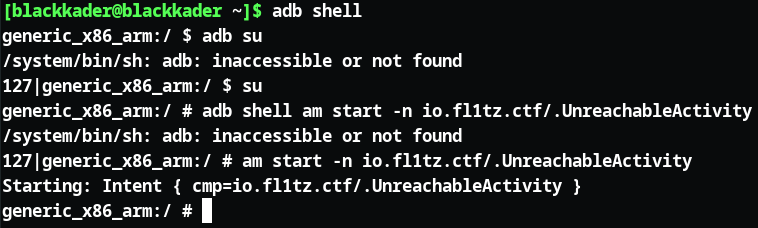
And this is the result :
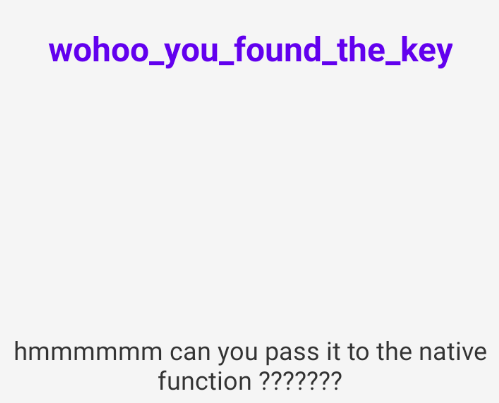
It is asking us to pass the key wohoo_you_found_the_key to the native function ,hmm what is a native function ?
A native function in Android refers to a function written in C or C++ instead of Java/Kotlin , you can read more here : Add C and C++ code to your project
Now going back to our code this is the interesting part , where the native function is included :
        System.loadLibrary("native-lib");
        String ok = InternetUtil.getKey("fakekeyfakekeyfakekey");
        List<Integer> L = Arrays.asList(-12, -12, -36, -34, -7, 111, -53, 9, -52, 24, -19, 60, 4, 11, 57, -25, -61, 42, 43, 24, -59, 7, 53, -17, -39, 36, 56, -1);
        StringBuilder newKeyBuilder = new StringBuilder();
        for (int i = 0; i < ok.length(); i++) {
            char currentChar = ok.charAt(i);
            int listValue = L.get(i % L.size()).intValue();
            char newChar = (char) (currentChar + listValue);
            newKeyBuilder.append(newChar);
        }
        String newKey = newKeyBuilder.toString();
        Log.i("topsecret:", newKey.substring(0, newKey.length() - 4)
Oh , i get what he is asking !! he wants to change "fakefakekeyfakekeyfakekey"
with wohoo_you_found_the_key , how can we do that ?? There are many ways , we can build another apk and import the native function (how can we do that ? it's documented in android's website : Link Gradle to your native library ) and that part of code and change the key to the real one , then we launch our app and check for the log (we check the log because the last line is printing in the log !)
Another way is decompiling our app , change in the smali and recompile again and start the unreachable activity again and check the log , We will do this one !
To decompile our app i am gonna use Apktool !
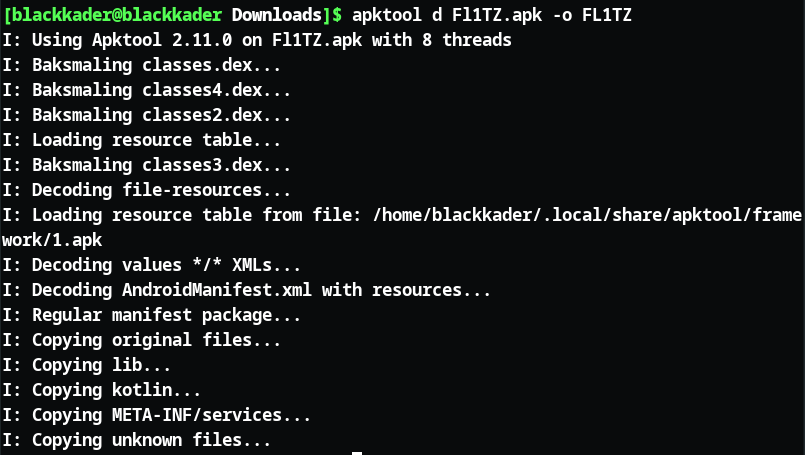
Now we search for the "UnreachableActivity" in the smali and change it to our desired key :

We found the file , now we open an editor (I used codium) and change the key to the real one , after that we need to recompile our new app ( i used apktool again):
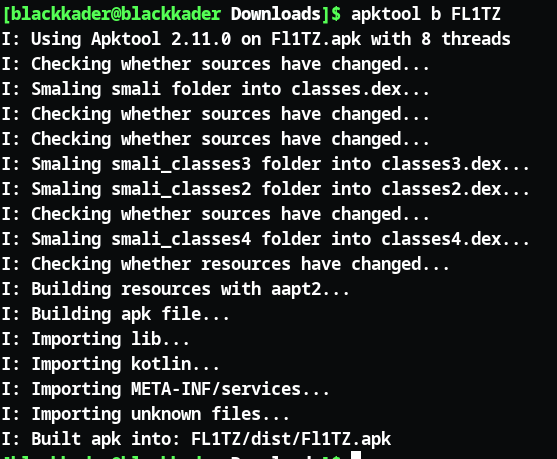
Now we got our modded apk ! Time to sign it !
And to do that, I'll use apksigner, but first, we need to generate a key using keytool. Starting with generating the key :
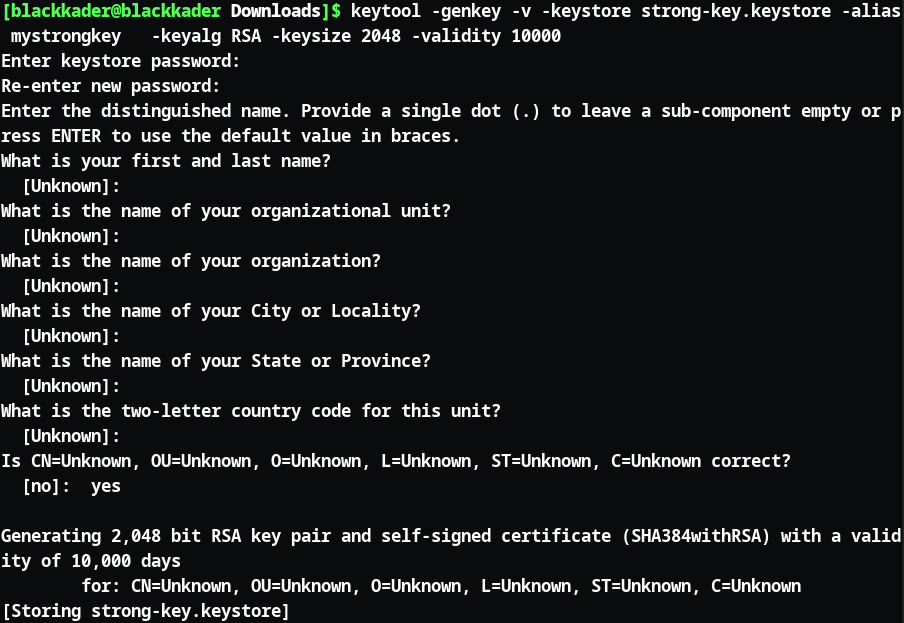
After we get our key we use it to sign the app by providing the password :
We can verify whether the apk was signed sucessfully or no using :
apksigner sign --ks strong-key.keystore --ks-key-alias mystrongkey --ks-pass pass:mehmeh --key-pass pass:mehmeh --out modded-signed-FL1TZ.apk FL1TZ/dist/Fl1TZ.apk
apksigner verify --print-certs modded-signed.apk
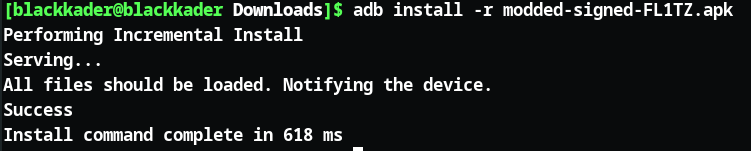
And finally we install it in our emulator using adb :
adb install -r modded-signed-FL1TZ.apk
Now we open the app in our emulator and relaunch our "UnreachableActivity" like we did before , then we see the logs ! we will be using logcat for that , and let's grep topsecret :

And that's our flag !!
FL1TZ{Gl0ub_gra33_ft0ur_Sbe7}
I also wanna include this writeup of El-Mehdi-Dridi who solved the challenge like a pro : anderouid_by_El-Mehdi-Dridi